My Perks
The My Perks section in the PerksPe mobile app allows employees to view and manage all the perks assigned to them by their organization. From a single screen, you can browse active and inactive perks, check balances, view detailed perk information, redeem eligible perks, request top-ups (where allowed), and track your PEP Coin transaction history.
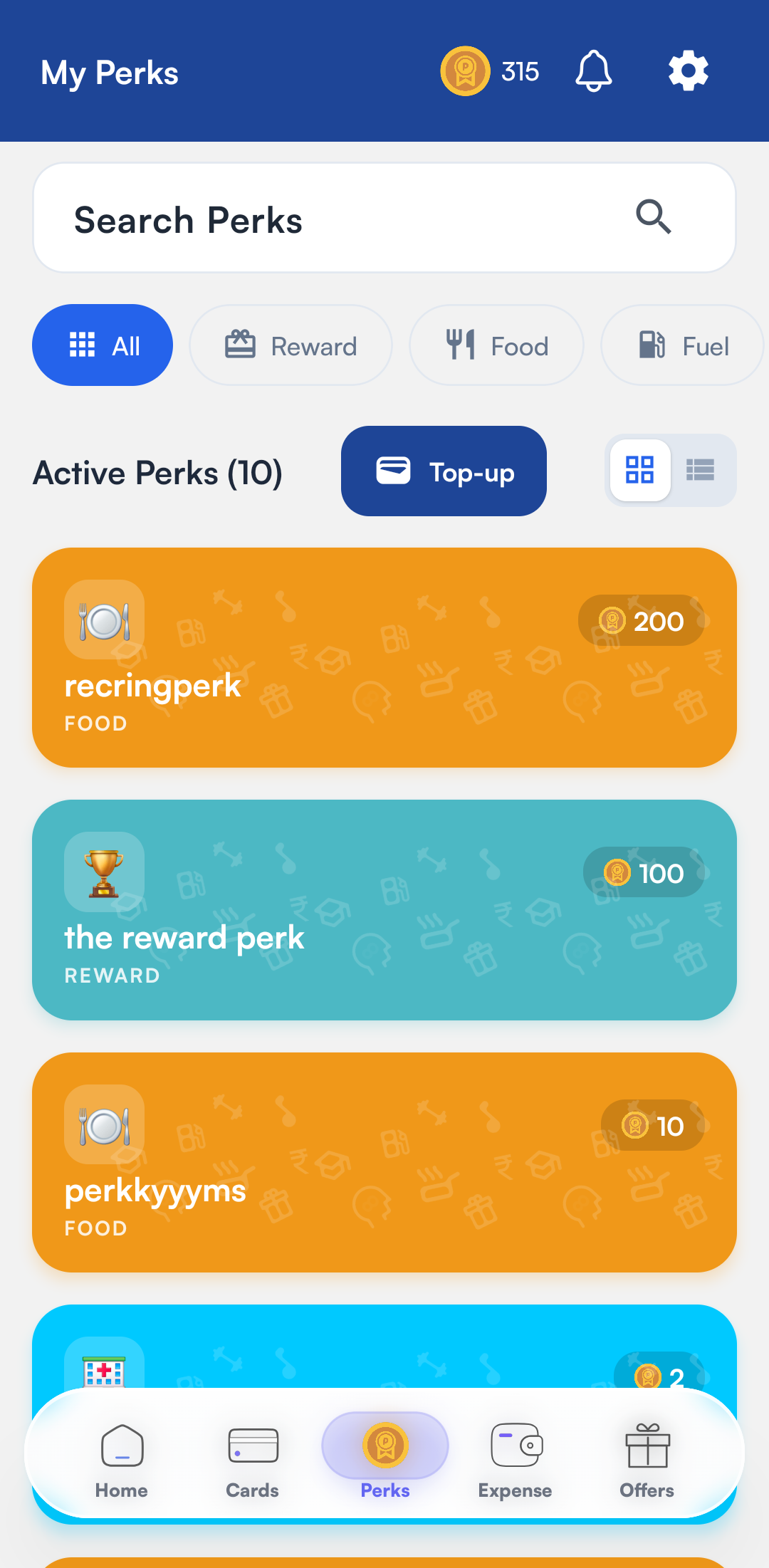
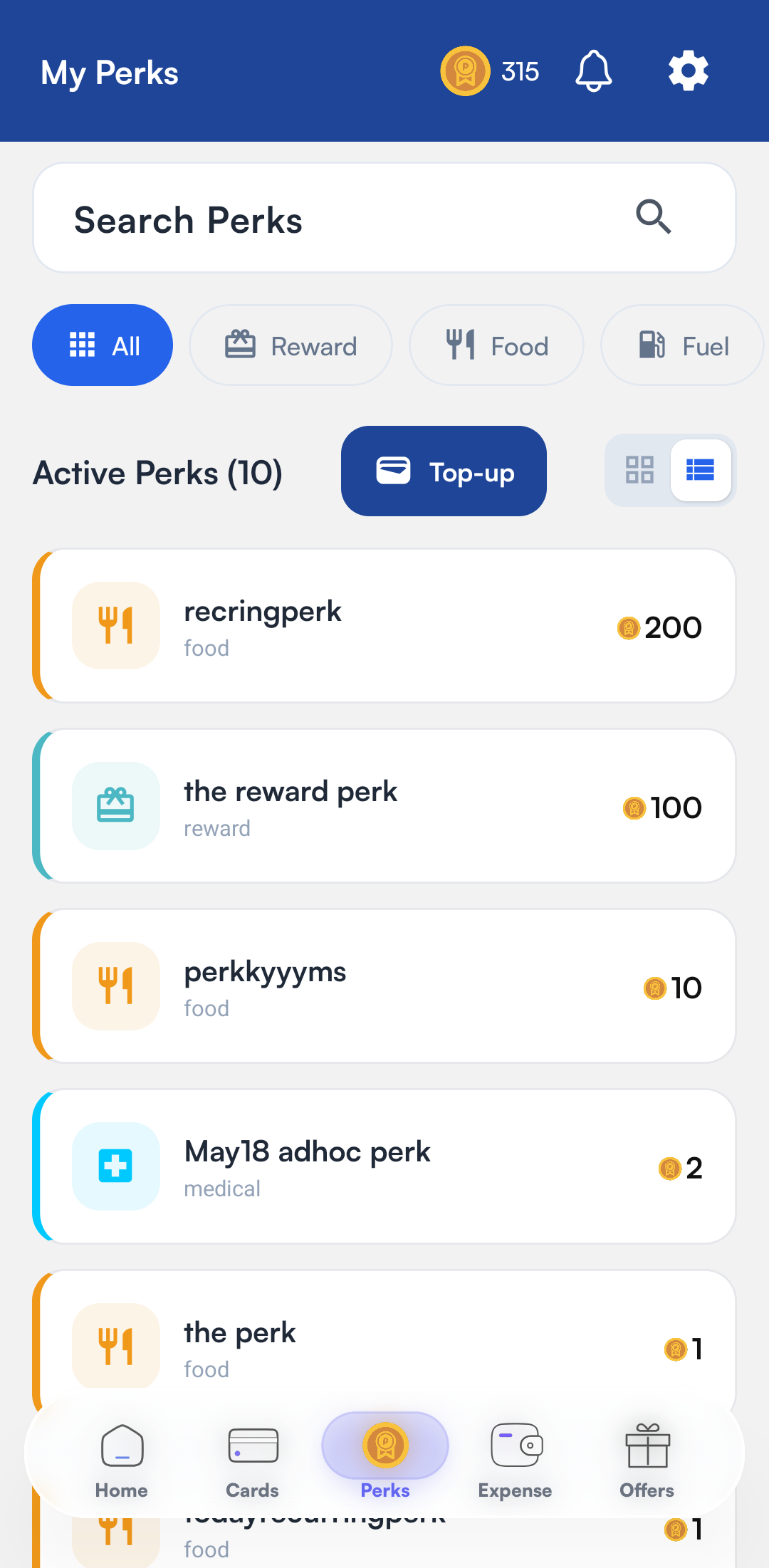
When you tap the Perks tab from the bottom navigation bar, you are taken to the My Perks screen. This screen displays all your assigned perks along with tools to search and filter them.
Search & Filter
Use the search bar or category tabs (Fuel, Medical, Food) to quickly find perks.

PEP Coin Balance
Your available PEP Coin balance is displayed prominently at the top.
Grid & List View
Switch between a visual grid of perk cards or a compact list view.
2. Perk Details Bottom Sheet
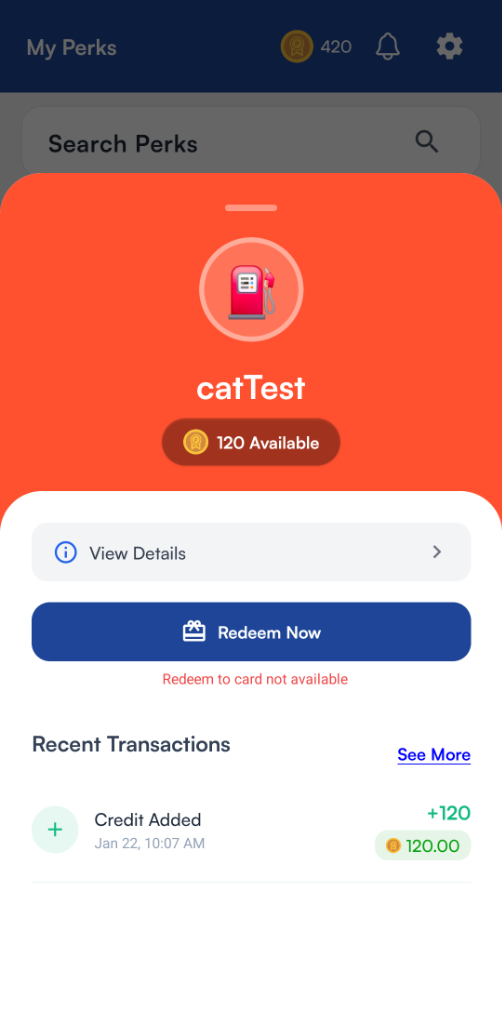
Tapping any perk card opens a bottom sheet containing the perk details and available actions.
3. Perk Configuration Details
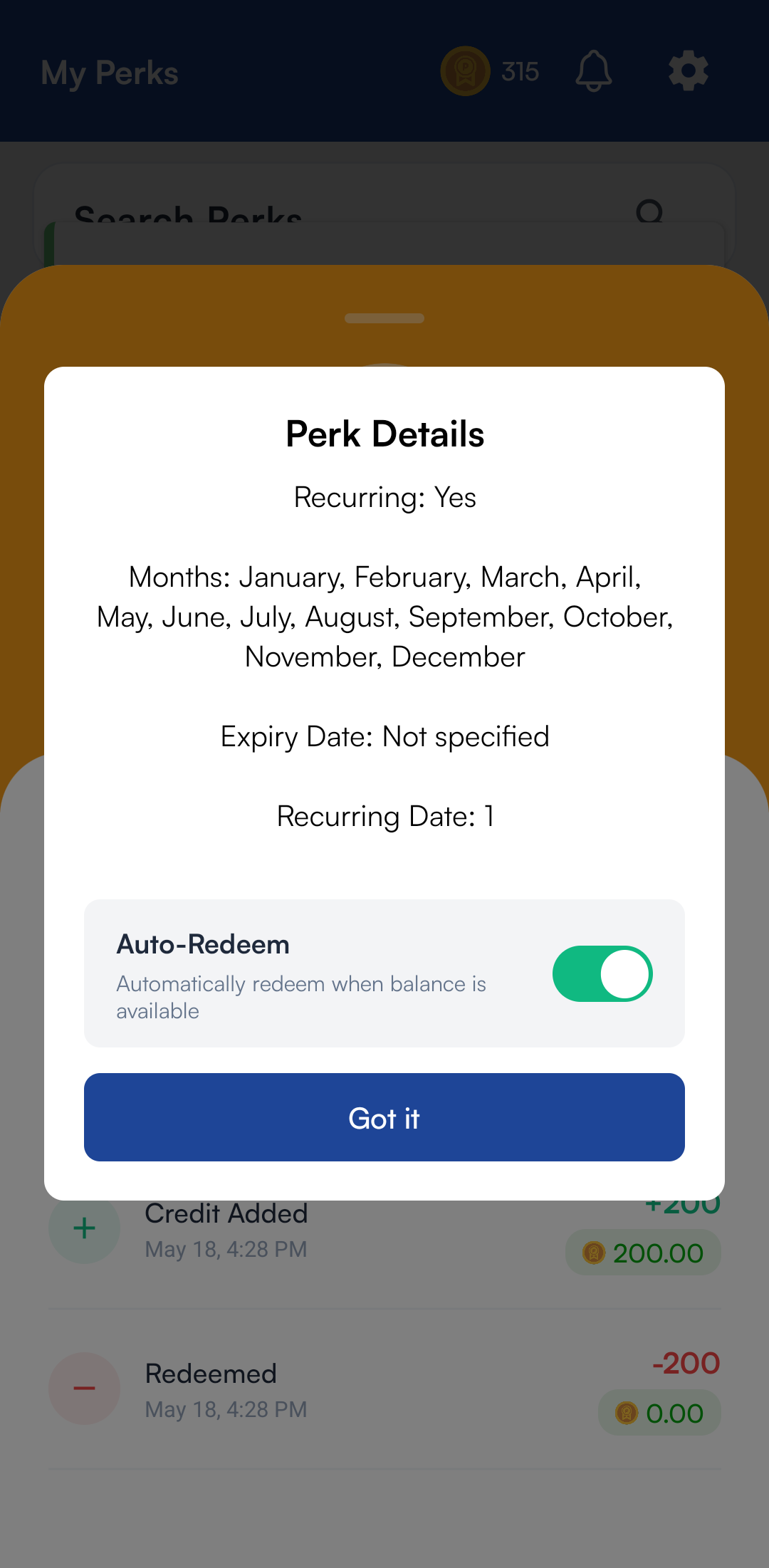
Selecting View Details opens a popup showing the complete configuration of the perk.
- Recurring: Whether the perk is recurring (Yes / No).
- Months: The months during which the perk is allocated.
- Expiry Date: The expiry date for the perk (if configured).
- Recurring Date: The day of the month on which the perk is allocated.
4. PEP Coin Transaction History
View a complete history of all PEP Coin transactions related to your perks.
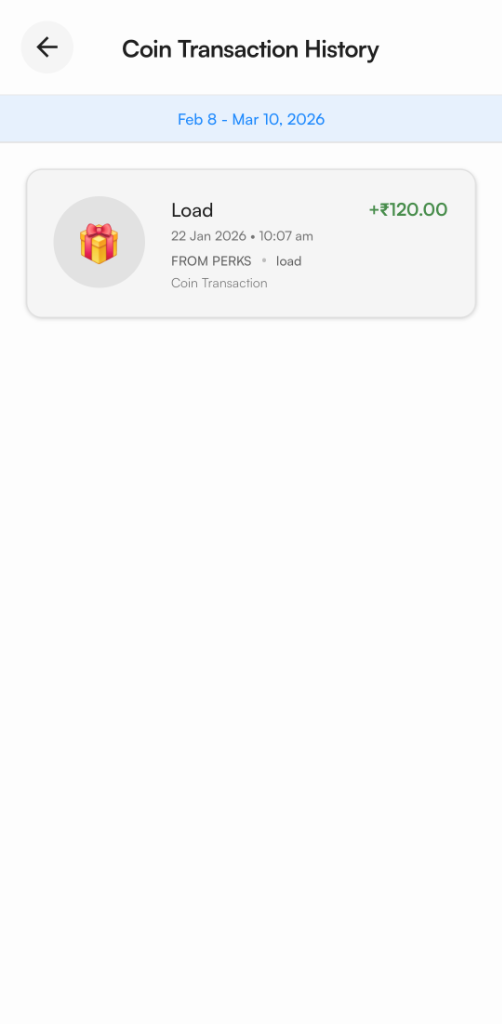
Each transaction includes:
- Date Range Filter to search transactions.
- Transaction Type (Load, Redeem, etc.).
- Date & Time
- Source
- Reference Label
- Amount Credited or Debited
5. Perk Status & Redemption Rules
Perks can be either Active or Inactive, and the available actions depend on the perk configuration.
If your available perk balance is insufficient, you can request a top-up directly from the mobile app (for eligible active perks).
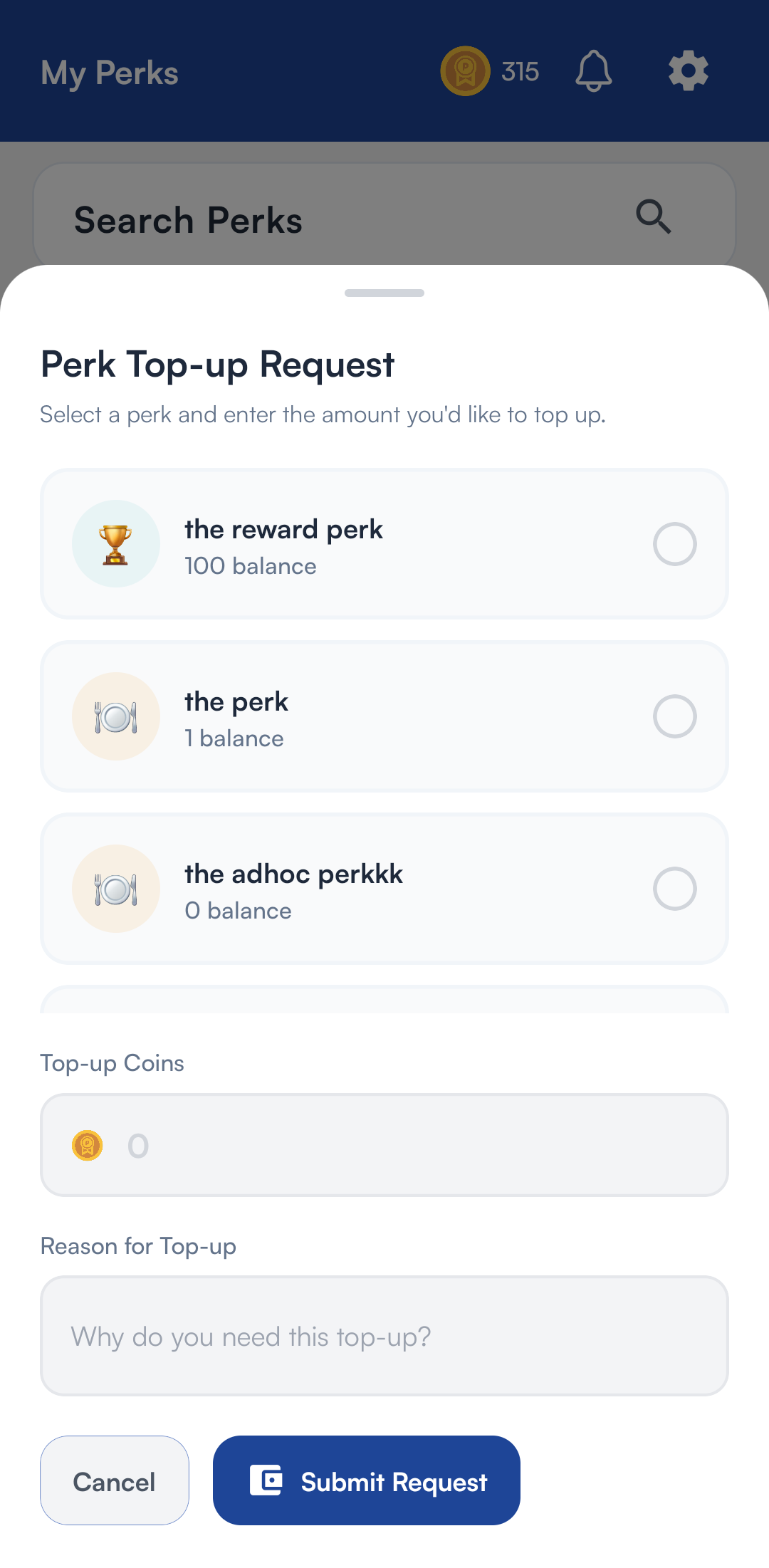
- Top-up is available only for eligible active perks.
- Inactive perks cannot receive top-ups.
- Some perks are configured for Marketplace redemption only. These perks display Redeem from Marketplace instead of Redeem and must be redeemed through the Marketplace using PEP Coins.